Getting Started with Luminary
Demo access, Early Access timing, character creation, and your first hour in Refractive's OpenZone ARPG-lite.
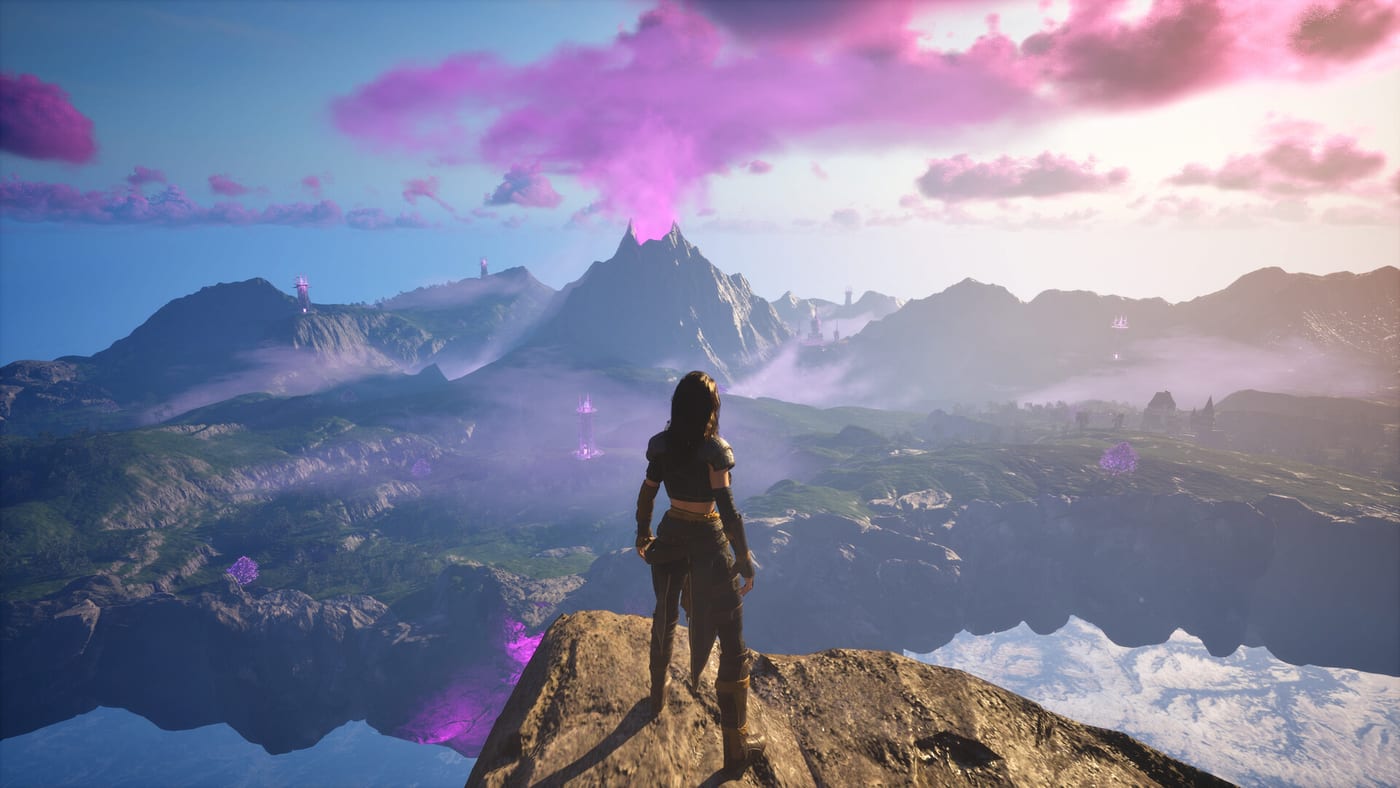
Luminary is a solo or three-player online drop-in/drop-out co-op OpenZone ARPG-lite from Refractive Entertainment. Before you charge into corrupted Towers or debate Bow versus Magic Glove, a short setup pass saves frustration — especially if you are deciding between the free demo and the paid Early Access build launching August 11, 2026 on Steam at $19.99.
Install the demo or wishlist Early Access
Head to the Steam store page for Luminary and either download the demo or wishlist the full game. The demo already holds a Very Positive rating and mirrors core combat, exploration, and town systems on a slice of the world. Early Access unlocks broader map coverage — roughly half of the final two-kilometer-square OpenZone at day one — plus continued updates through launch window patches.
Check listed PC requirements on Steam before install. Luminary targets standard action-RPG hardware; close background apps if you plan to host co-op sessions so friends can drop in smoothly. For a visual overview of tone and pacing, the demo launch trailer on this page complements the written steps below.
Understand solo versus online co-op
You can play entirely solo with no penalty to story progression. Online co-op supports up to three players with shared progression: loot, quest flags, and town upgrades carry across modes so you are never splitting a character between offline and online saves. Drop-in/drop-out means friends can join mid-fight or leave without breaking the session host.
Couch co-op is planned for a future update but is not available in Early Access. If your group prefers split-screen, treat online co-op as the launch option and follow How to Play Luminary for invite flow and role splitting. Combat fundamentals live in Combat Basics — worth skimming before your first elite encounter.
Create your character: six races, one shared adventure
Character creation offers six races with distinct silhouettes and customization options. Pick what you enjoy looking at for dozens of hours; Luminary does not hard-lock race to weapon type. You can lean Sword and Shield for stability, Bow for range, or Magic Glove for ability-heavy play regardless of race.
Name your hero and confirm before leaving the creator — Early Access saves are persistent. If you are unsure about build direction, stay flexible: respec and gear swaps are designed to be forgiving compared to punishing ARPGs. The Level Up and Town Vendors guide explains when to commit gold to Blacksmith and Arcanist upgrades versus keeping materials for later Towers.
First session checklist
Spawn into the hub town and speak with every vendor once. Blacksmith handles weapons, Armorer covers defensive gear, Arcanist sells skills and magical utilities, and Chef provides consumables that turn fishing and farming ingredients into combat buffs. Even if you cannot afford purchases, noting inventory refreshes teaches the economic loop expanded in Level Up and Town Vendors.
Leave town through the safest outward path — usually the route tutorial markers suggest — and practice weapon swap on harmless targets. Luminary’s combat rewards timing and ability synergy rather than rigid rotations. Swap to Bow to apply status from range, then close with Sword and Shield when stamina allows. Magic Glove sits between both: positional spells and shield breaks.
Pick one optional objective early: either scout a corrupted Tower for later liberation (Liberate Towers) or follow the Demo Walkthrough if you are still on the demo build. Both paths teach camp structure, Life Tree rescue markers, and how map fog reveals as you cleanse regions.
Demo players: what transfers mentally
The demo is not a separate game; it teaches mechanics you will reuse on day one. Progress inside the demo may reset when Early Access begins, but muscle memory — dodge windows, vendor order, co-op revive etiquette — carries over. Use demo time to decide whether you prefer hosting co-op or joining public sessions.
Join the official Discord at discord.gg/NNrurAT5um for group finder threads, patch announcements, and developer Q&A. Wiki guides including Hall of Heroes and Endgame matter later, but reading the Guides Hub index helps you bookmark pages before Tier difficulty unlocks.
When to leave the starter region
Move outward when you can comfortably clear a small enemy camp without burning every potion. Upgrade one weapon line at the Blacksmith, buy a Chef meal for the next expedition, and coordinate with co-op partners on who brings crowd control versus single-target damage. Liberating your first Tower should wait until you have a stable gear baseline — see Liberate Towers for readiness checks.
Early Access is a live product: report bugs on Steam and verify file integrity if installs fail after patches. Refractive Entertainment has positioned Luminary as a long-form OpenZone experience; pacing yourself in the first week beats rushing to endgame before understanding Tier scaling described in Hall of Heroes and Endgame.
Frequently Asked Questions
Quick answers to the most common Luminary questions.
When does Luminary Early Access release?
Steam Early Access launches August 11, 2026 at $19.99. A free demo is available now with Very Positive user reviews.
Can I play Luminary completely solo?
Yes. Solo play supports the full progression path. Online co-op for up to three players is optional with shared progression.
How many races are in character creation?
Six races are available at creation with cosmetic customization. No race hard-locks you to a specific weapon type.
Is local couch co-op available at launch?
No. Early Access ships online drop-in/drop-out co-op only. Couch co-op is planned for a future update.
What should I do in my first hour?
Meet all town vendors, practice weapon swap combat, and complete one small camp or tutorial objective before pushing toward Towers.
Where can I find players or patch news?
Join the official Discord at discord.gg/NNrurAT5um for LFG threads, updates, and direct feedback channels alongside Steam discussions.